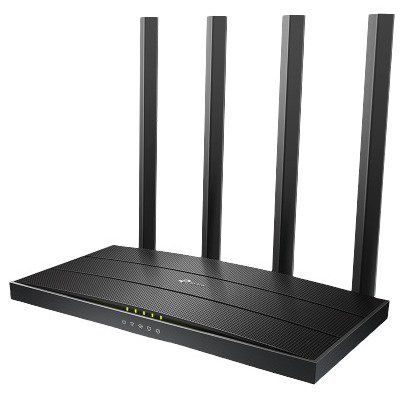
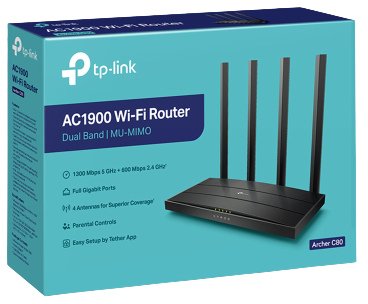
TP Link Archer C80 AC1900 Wireless MU-MIMO Wi-Fi Router
Brand: TP Link | Model: Archer C80
৳3,900.00 ৳4,100.00
Save 5%
Weight: 0.50 kg
The TP-Link Archer C80 AC1900 Wireless MU-MIMO Wi-Fi Router is a high-performance, mid-range dual-band wireless router designed to deliver fast gigabit speeds, wide coverage, and robust multi-device handling for modern households and small offices. At its technical core, the device operates on the Wi-Fi 5 standard based on 802.11ac wave 2 protocols, delivering an impressive combined dual-band transmission speed of up to 1900Mbps. This total throughput is efficiently divided into a high-speed 1300Mbps channel on the 5GHz frequency band for bandwidth-heavy activities like 4K video streaming, online gaming, and large file downloads, alongside a 600Mbps channel on the 2.4GHz frequency band for routine web browsing, checking emails, and smart home IoT device connectivity.
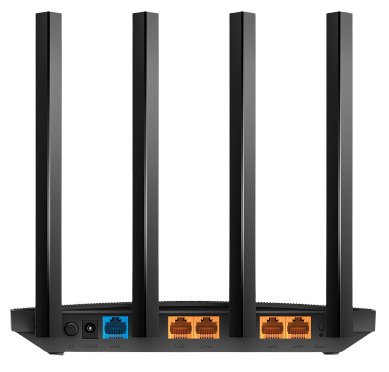
Physical hardware connectivity is anchored by a robust array of wired ports, featuring one dedicated Gigabit WAN port and four full Gigabit LAN ports that eliminate local network bottlenecks for wired desktop computers, smart TVs, and gaming consoles. To project powerful wireless signals across medium-to-large residential spaces, the router integrates four external high-gain antennas combined with beamforming technology to focus wireless signals directly toward connected clients, extending effective range and minimizing dead zones. The internal hardware architecture is driven by a capable processor designed to handle heavy concurrent data traffic smoothly without lagging or dropping packets.
A defining advantage of the Archer C80 is its full implementation of 3x3 MU-MIMO technology. Unlike standard 2x2 routers, the 3x3 spatial stream configuration allows the device to communicate with three simultaneous clients concurrently rather than serving them one by one, which drastically reduces network congestion and ping delays in environments crowded with connected smartphones, tablets, and laptops. Furthermore, Airtime Fairness prevents older or slower legacy devices from occupying excessive channel time, ensuring that high-speed devices maintain peak performance across the network.
Network administration and security are managed through an intuitive interface, featuring full support for the TP-Link Tether smartphone app for quick initial setup, remote management, and continuous network monitoring. The comprehensive security suite includes WPA/WPA2 encryption for reliable password protection, built-in parental controls that allow users to restrict online time and block inappropriate content for specific family profiles, and a guest network feature that provides secure, isolated internet access for visitors without exposing the main home network. Additionally, the router supports IPv6 protocol compatibility, dynamic DNS services, and Smart Connect technology to automatically steer devices to the best available frequency band. By combining high-speed AC1900 performance, 3x3 MU-MIMO efficiency, full gigabit wired ports, and comprehensive management tools into an affordable package, the TP-Link Archer C80 provides a powerful and reliable connectivity backbone for demanding digital homes.
Physical hardware connectivity is anchored by a robust array of wired ports, featuring one dedicated Gigabit WAN port and four full Gigabit LAN ports that eliminate local network bottlenecks for wired desktop computers, smart TVs, and gaming consoles. To project powerful wireless signals across medium-to-large residential spaces, the router integrates four external high-gain antennas combined with beamforming technology to focus wireless signals directly toward connected clients, extending effective range and minimizing dead zones. The internal hardware architecture is driven by a capable processor designed to handle heavy concurrent data traffic smoothly without lagging or dropping packets.
A defining advantage of the Archer C80 is its full implementation of 3x3 MU-MIMO technology. Unlike standard 2x2 routers, the 3x3 spatial stream configuration allows the device to communicate with three simultaneous clients concurrently rather than serving them one by one, which drastically reduces network congestion and ping delays in environments crowded with connected smartphones, tablets, and laptops. Furthermore, Airtime Fairness prevents older or slower legacy devices from occupying excessive channel time, ensuring that high-speed devices maintain peak performance across the network.
Network administration and security are managed through an intuitive interface, featuring full support for the TP-Link Tether smartphone app for quick initial setup, remote management, and continuous network monitoring. The comprehensive security suite includes WPA/WPA2 encryption for reliable password protection, built-in parental controls that allow users to restrict online time and block inappropriate content for specific family profiles, and a guest network feature that provides secure, isolated internet access for visitors without exposing the main home network. Additionally, the router supports IPv6 protocol compatibility, dynamic DNS services, and Smart Connect technology to automatically steer devices to the best available frequency band. By combining high-speed AC1900 performance, 3x3 MU-MIMO efficiency, full gigabit wired ports, and comprehensive management tools into an affordable package, the TP-Link Archer C80 provides a powerful and reliable connectivity backbone for demanding digital homes.
| Standards and Protocols | Wi-Fi 5 IEEE 802.11ac/n/a 5 GHz IEEE 802.11n/b/g 2.4 GHz |
|---|---|
| WiFi Speeds | AC1900 5 GHz: 1300 Mbps (802.11ac) 2.4 GHz: 600 Mbps (802.11n) |
| WiFi Range | 3 Bedroom Houses: 4× Fixed High-Performance Antennas Multiple antennas form a signal-boosting array to cover more directions and large areas Beamforming: Concentrates wireless signal strength towards clients to expand WiFi range |
| WiFi Capacity | Dual-Band Allocate devices to different bands for optimal performance 3×3 MU-MIMO Simultaneously communicates with multiple MU-MIMO clients Airtime Fairness Improves network efficiency by limiting excessive occupation |
| Working Modes | Router Mode Access Point Mode |
| Network Security | SPI Firewall Access Control IP & MAC Binding Application Layer Gateway |
| Guest Network | 1× 5 GHz Guest Network 1× 2.4 GHz Guest Network |
| WiFi Encryption | WEP WPA WPA2 WPA/WPA2-Enterprise (802.1x) |
| Processor | 1.2 GHz CPU |
| Ethernet Ports | 1× Gigabit WAN Port 4× Gigabit LAN Ports |
| Buttons | WPS/Wi-Fi Button Power On/Off Button Reset Button |
| Power | US Version 12 V ⎓ 1.5 A EU Version 12 V ⎓ 1 A |
| Protocols | IPv4 IPv6 |
| OneMesh™ | OneMesh™ Supported Without replacing your existing devices or buying a whole new WiFi ecosystem, OneMesh™ helps you create a more flexible network that covers your entire home with TP-Link OneMesh™ products. |
| Parental Controls | URL Filtering Time Controls |
| WAN Types | Dynamic IP Static IP PPPoE PPTP L2TP |
| Quality of Service | QoS by Device |
| Cloud Service | OTA Firmware Upgrade TP-Link ID DDNS |
| NAT Forwarding | Port Forwarding Port Triggering DMZ UPnP |
| IPTV | GMP Proxy IGMP Snooping Bridge Tag VLAN |
| DHCP | Address Reservation DHCP Client List Server |
| DDNS | TP-Link NO-IP DynDNS |
| Management Features | Tether App Webpage |
| System Requirements | Internet Explorer 11+, Firefox 12.0+, Chrome 20.0+, Safari 4.0+, or other JavaScript-enabled browser Cable or DSL Modem (if needed) Subscription with an internet service provider (for internet access) |
| Certifications | FCC, CE, RoHS |
| Environment | Operating Temperature: 0℃~40℃ (32℉ ~104℉) Storage Temperature: -40℃~70℃ (-40℉ ~158℉) Operating Humidity: 10%~90% non-condensing Storage Humidity: 5%~90% non-condensing |
| WiFi Transmission Power | CE: <20dBm(2.4GHz) <23dBm(5.15GHz~5.25GHz) FCC: <30dBm(2.4GHz & 5GHz) |
| WiFi Reception Sensitivity | 5GHz: 11a 6Mbps:-98dBm, 11a 54Mbps:-78dBm 11ac VHT20_MCS0:-98dBm, 11ac VHT20_MCS8:-72dBm 11ac VHT40_MCS0:-92dBm, 11ac VHT40_MCS9:-68dBm 11ac VHT80_MCS0:-89dBm, 11ac VHT80_MCS9:-64dBm 2.4GHz: 11g 6Mbps:-97dBm, 11a 54Mbps:-77dBm 11n VHT20_MCS0:-97dBm, 11n VHT20_MCS8:-72dBm 11n VHT40_MCS0:-92dBm, 11n VHT40_MCS9:-67dBm |
| Dimensions (W×D×H) | 8.5 × 4.6 × 1.26 in (215 × 117 × 32 mm) |
| Package Content | Wi-Fi Router Archer C80 Power Adapter RJ45 Ethernet Cable Quick Installation Guide |
Write a Review
Customer Reviews
No reviews yet. Be the first to review this product!
Related Products
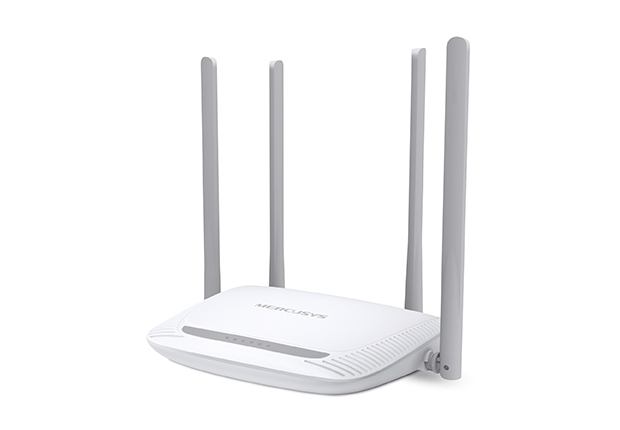
Mercusys MW325R 300Mbps N Router
৳1,450.00
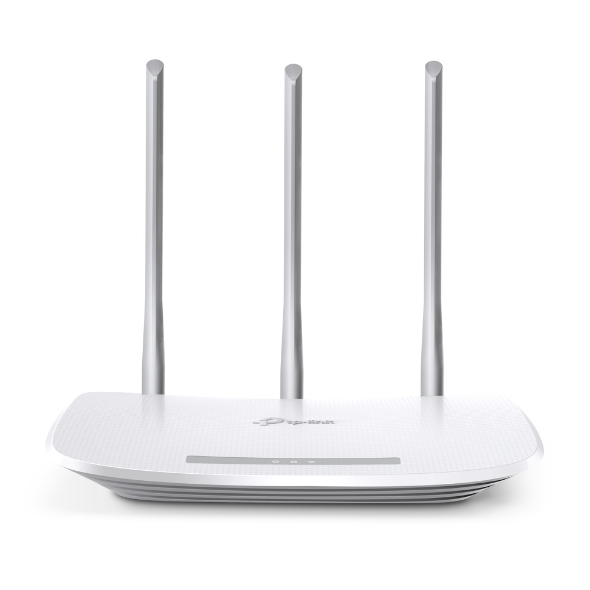
TP Link Router TL-WR845N
৳1,850.00
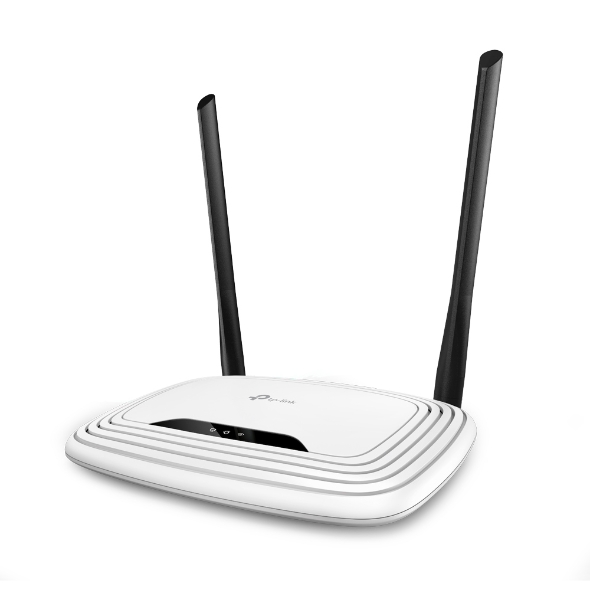
TL-WR841N 300Mbps Wireless N Router
৳1,850.00
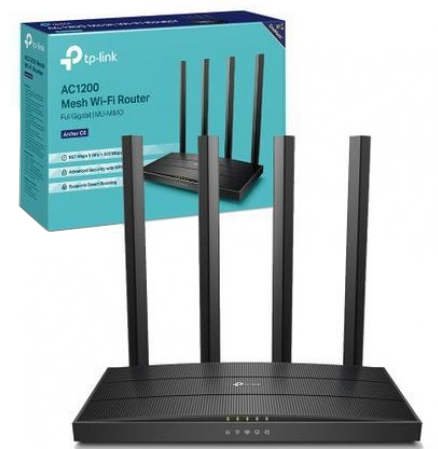
TP-Link Archer C6 5G Gigabit Router
৳3,249.99